
Make Customer Information Optional
Steps (Pickups & Deliveries)
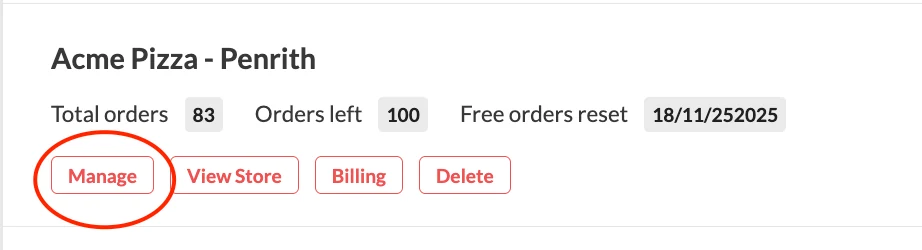
- Log in to your dashboard. Once you're logged in, click "Manage"
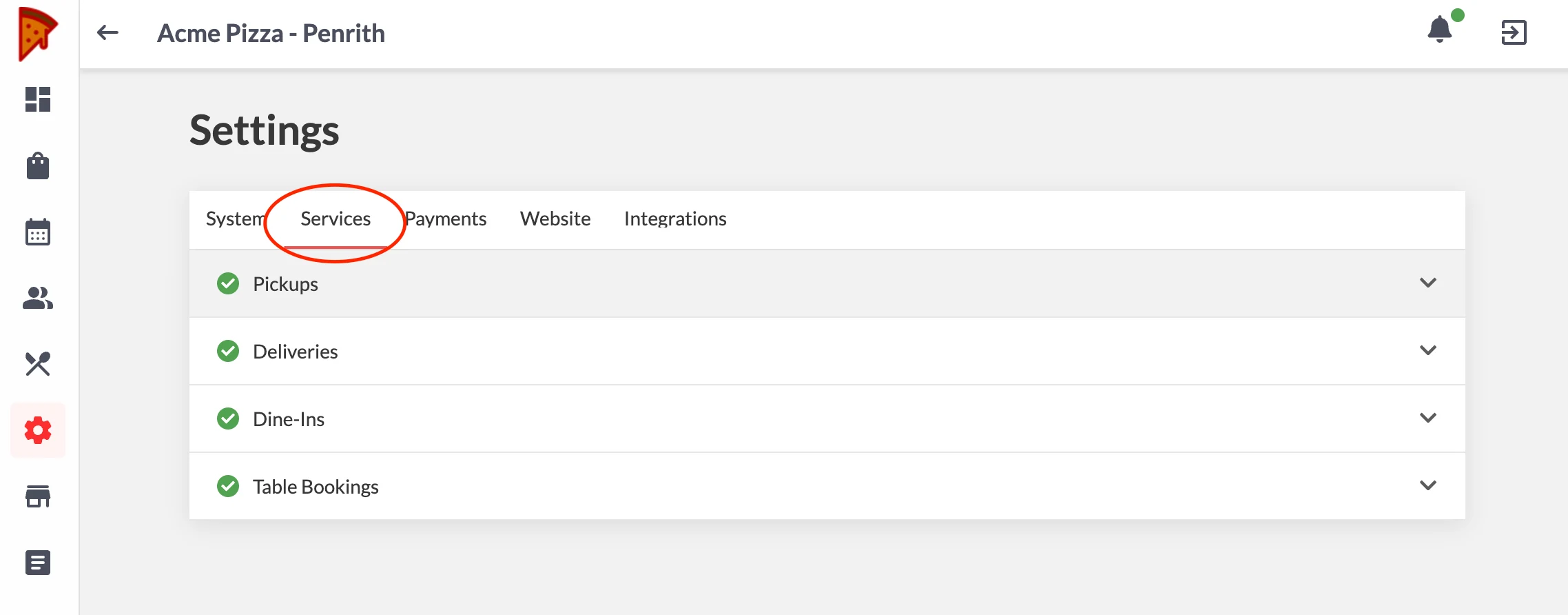
- Go to Settings

- Go to Services. Choose the service where you want this feature to be applied (Pickup/ Deliveries).
- Click "Customer Info"
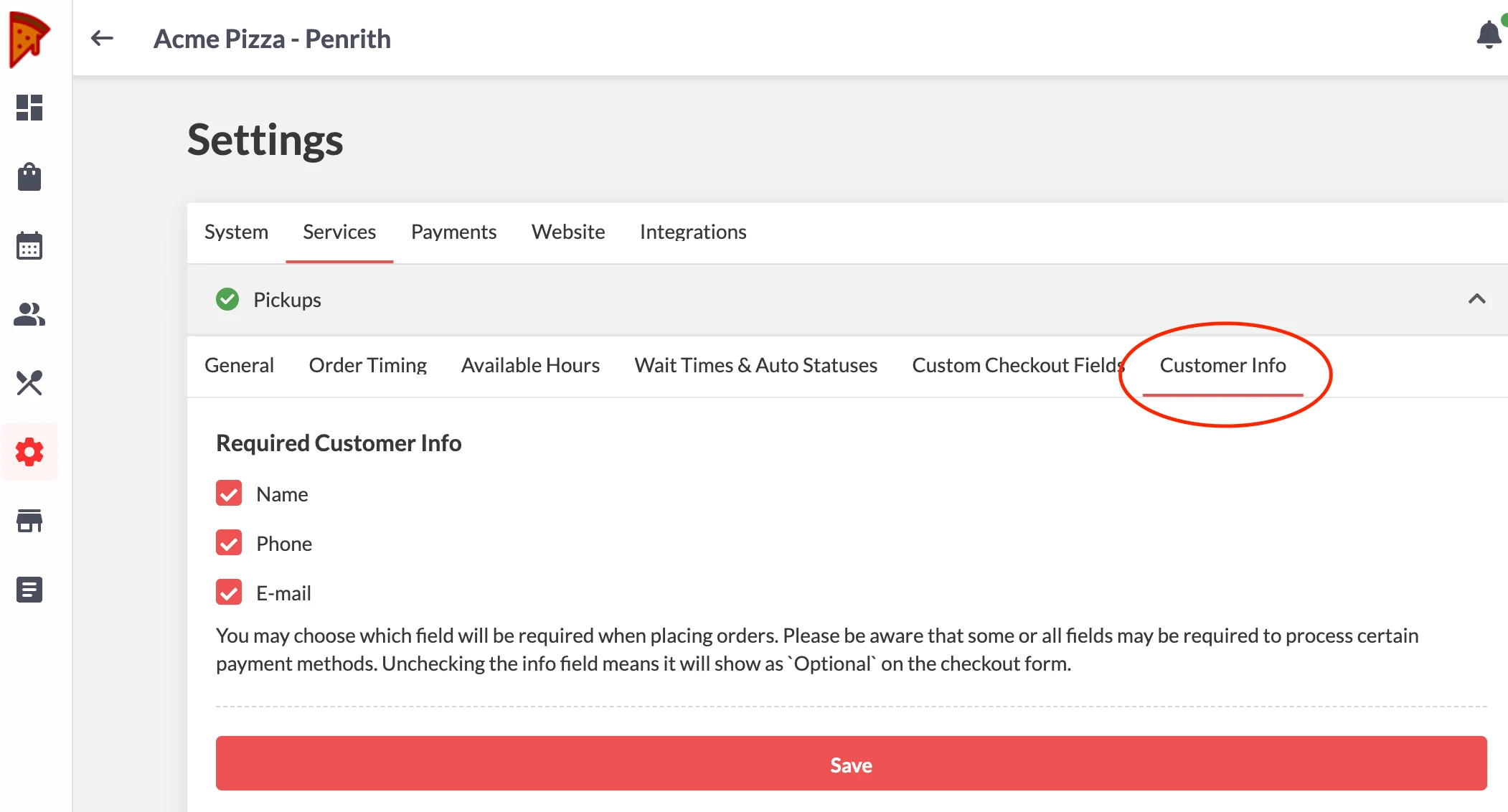
- Uncheck the info field that you want to set as optional
- Click Save
Note:
Some or all fields may be required to process certain payment methods. Unchecking the info field means it will show as Optional on the checkout page.
Steps (Dine-ins)
- Log in to your dashboard. Once you're logged in, click "Manage"
- Go to Settings
- Go to Services > Dine - ins
- Go to General > Make Customer Information Optional > Toggle to set as optional
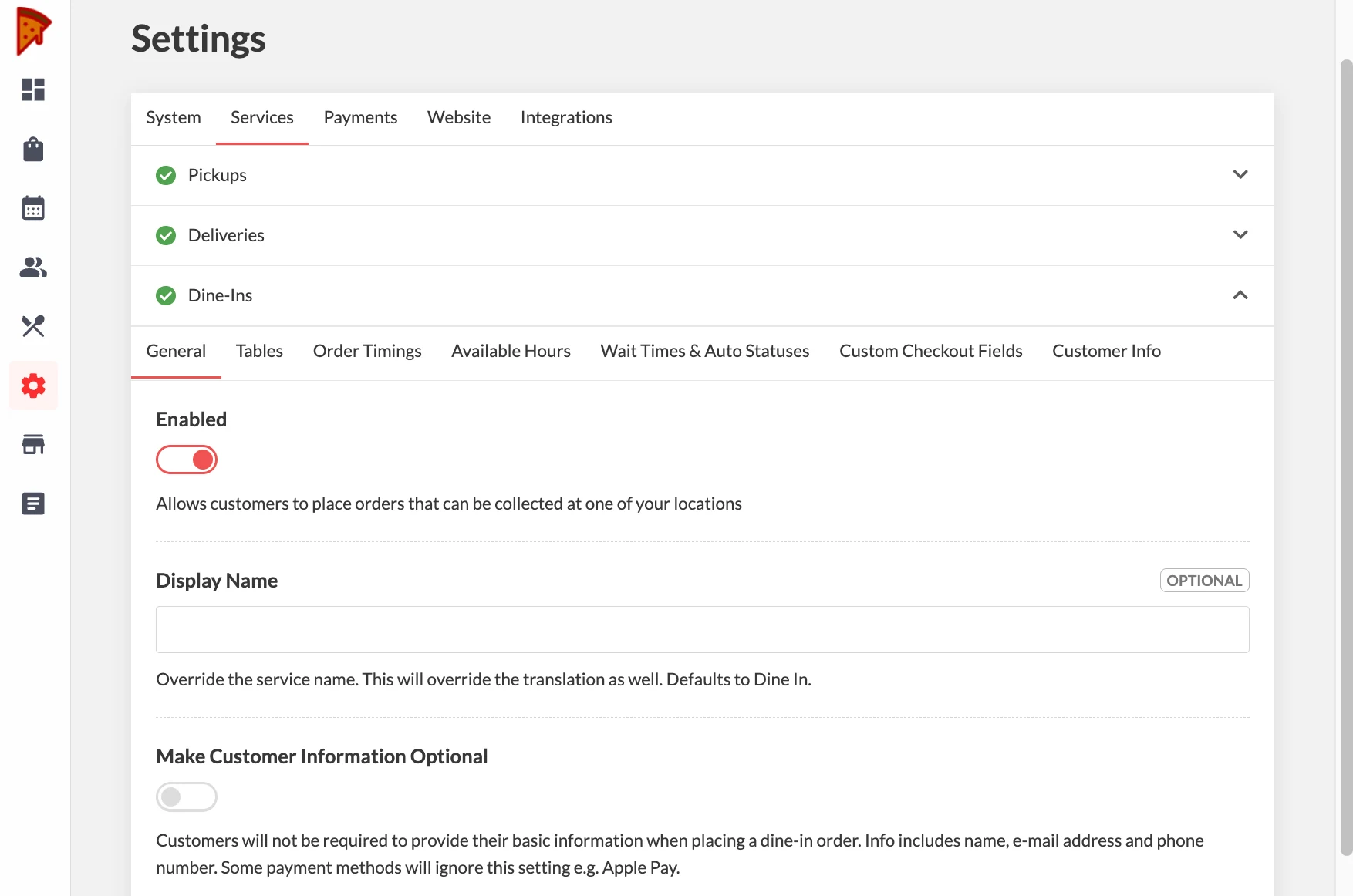
- Click Save
Important:
Some payment methods might not work if customer information is not provided. Customers will be prompted of what info is required to proceed with their chosen payment method.